
Project management your team and your clients can share
Boards, calendars, tables and budgets in one calm workspace — with a Client role built in.
Everything you need. Nothing you don't.
The core of running client work with a small team.
Boards and lists — pick your view
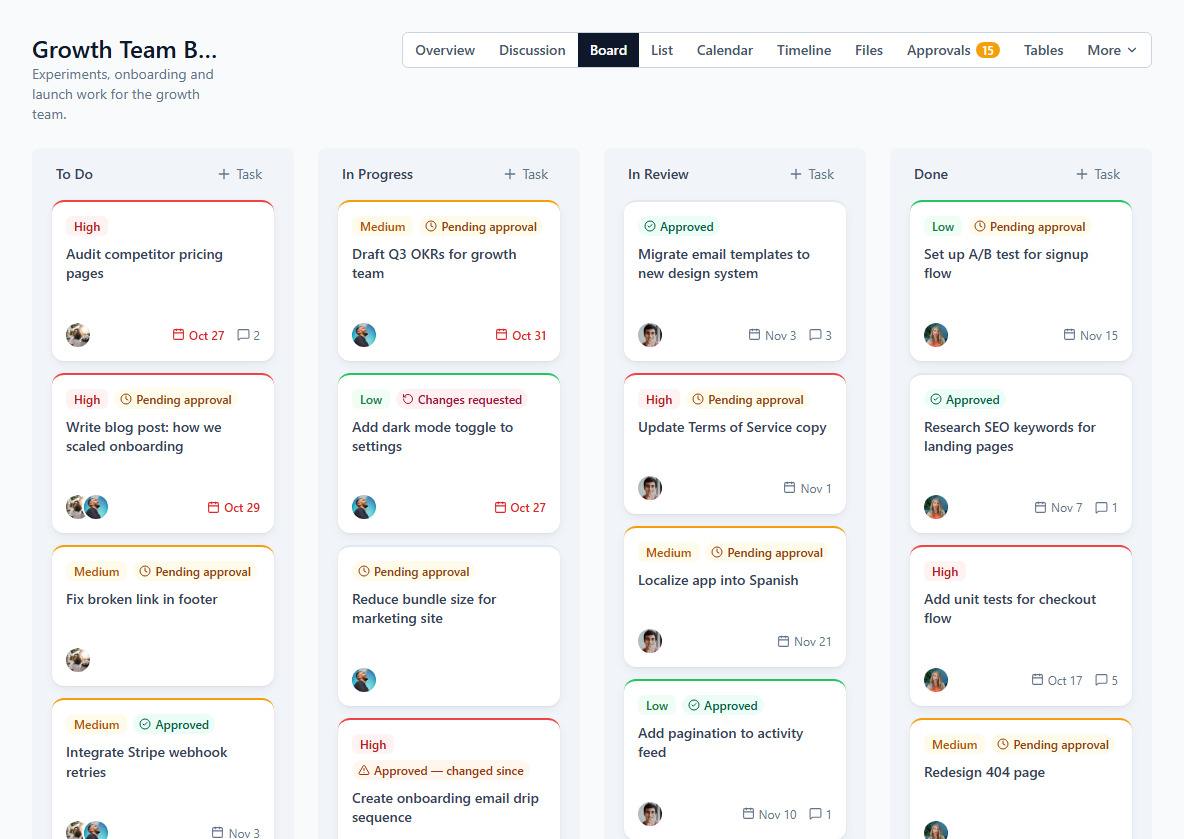
Plan work on a drag-and-drop Kanban board, or work through a sortable list grouped by status. Every task supports subtasks, multiple assignees, priority and a due date.
Learn moreA calendar for deadlines and events
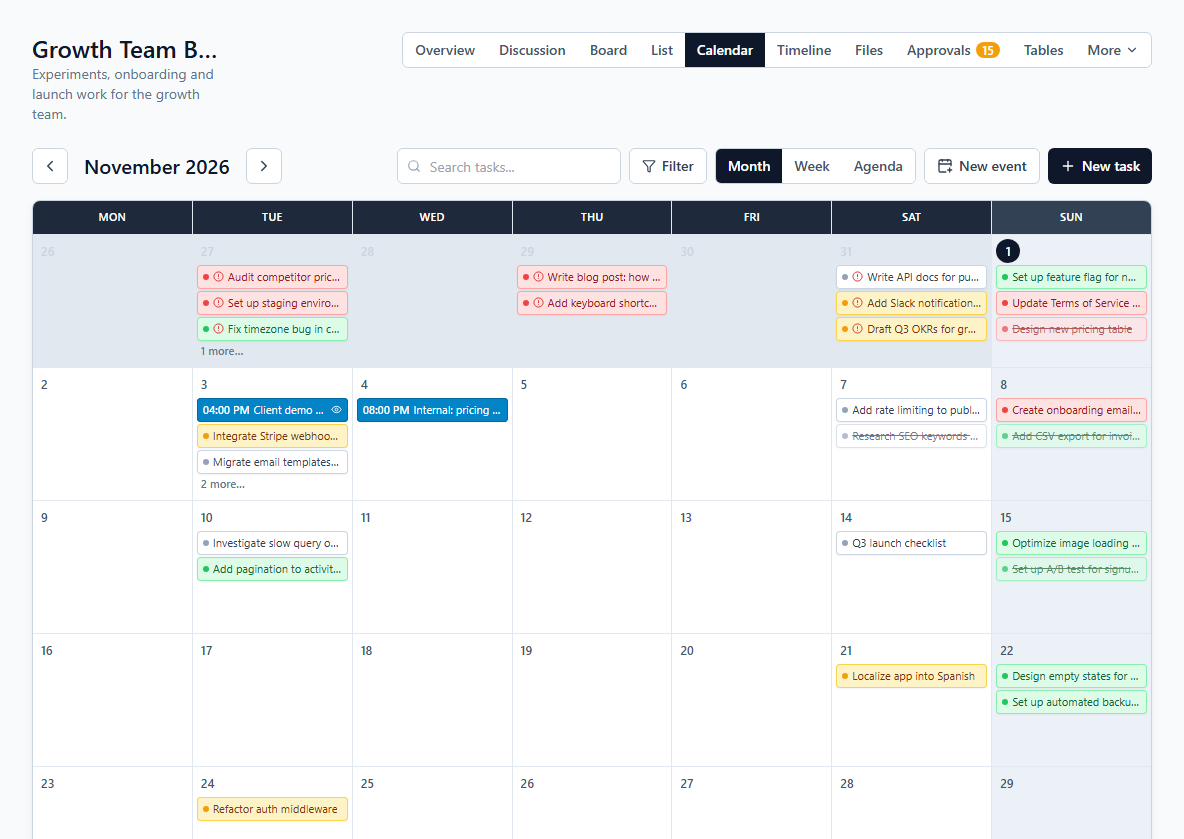
See every due date on a month, week or agenda view, and add timed events — meetings, launches, client calls — that live on the calendar without cluttering the board.
Learn moreMy Tasks — everything assigned to you, in one place
A single page pulls in every task assigned to you across all of a workspace's projects, grouped into overdue, today, this week, later, no due date and completed — so nothing slips through.
Learn moreCustom tables for everything that isn't a task
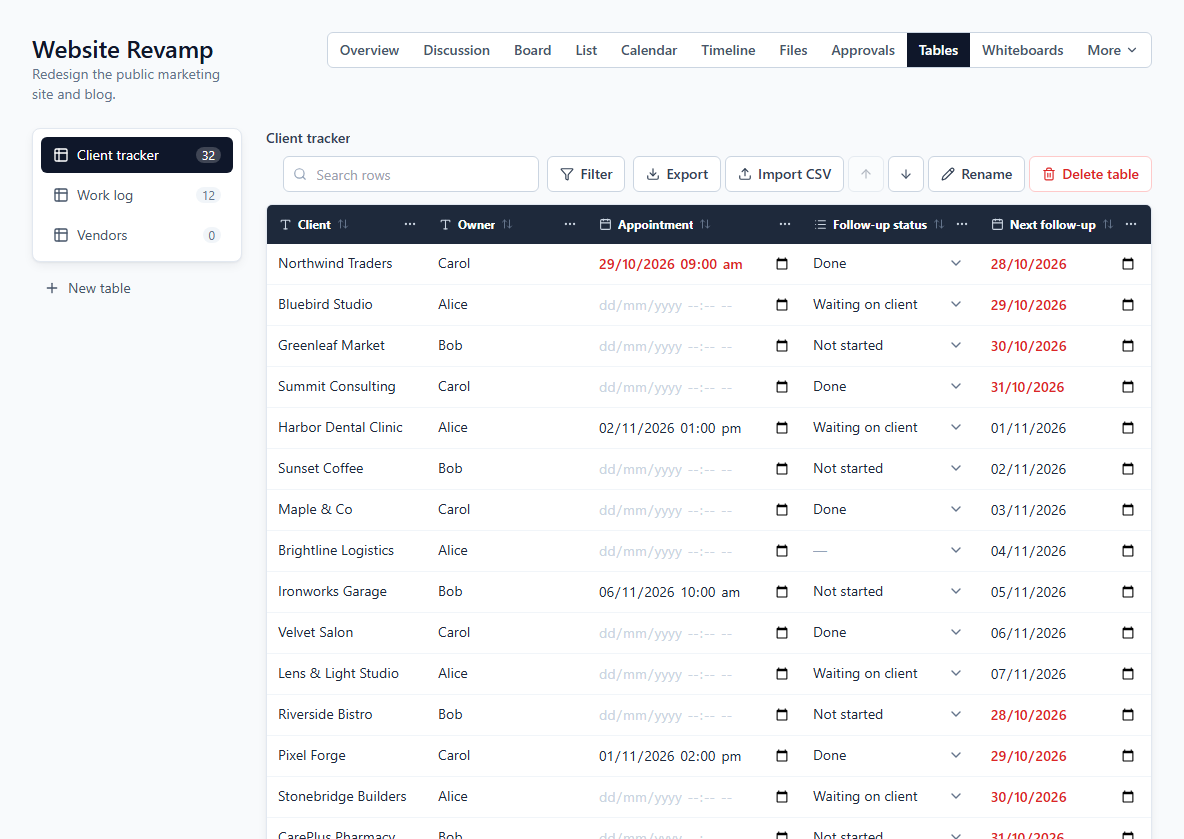
Track clients, vendors or a work log in a table you design — text, number, date, checkbox and dropdown columns — or start from a ready-made template. Search and filter rows, import a CSV, and export to CSV or PDF.
Learn moreClient access without the chaos
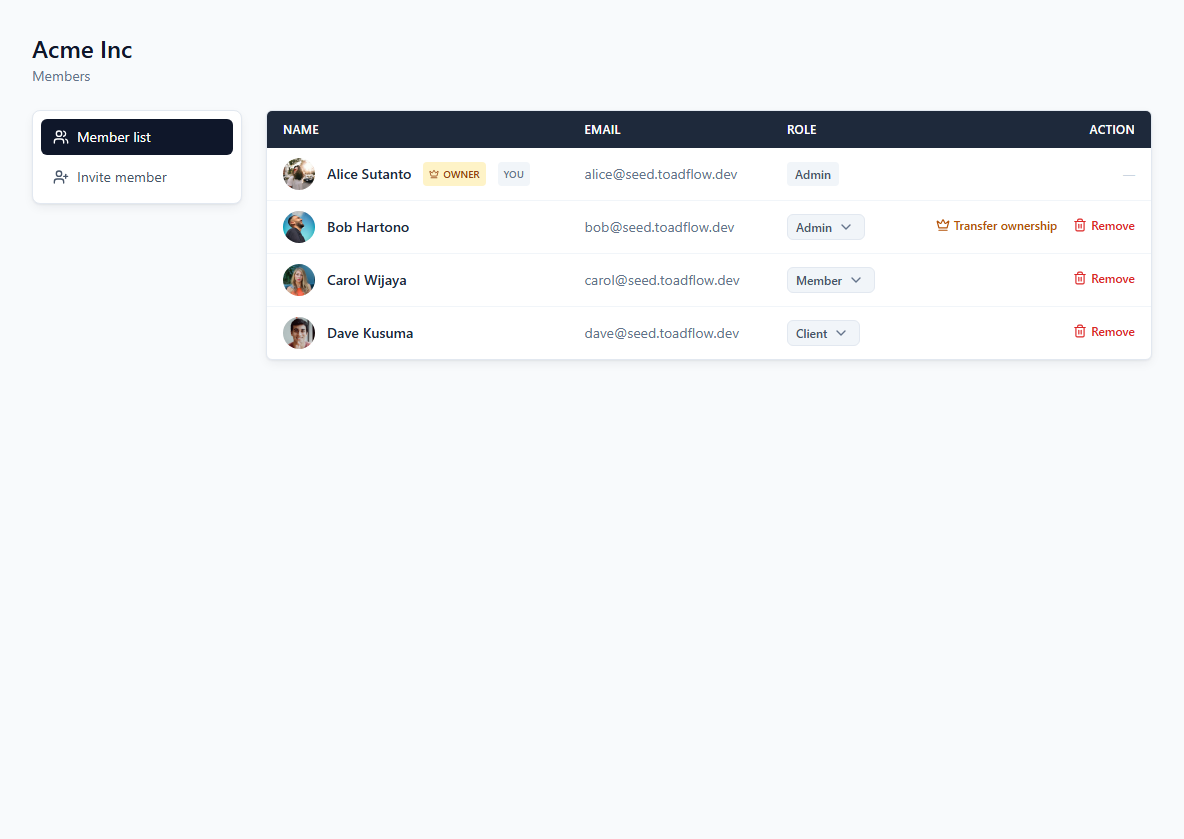
Admin, Member and Client roles control what people can do. Add a Client to only the specific projects they should see — they never stumble into internal work that isn't theirs.
Learn moreBudget & transactions per project
Admins can log income and expenses — to the cent — against a project's budget, see net and remaining at a glance, and export the filtered transactions as a PDF report. Pick the currency that fits your workspace.
Learn moreUp and running in three steps
Create a workspace
Set up a workspace for your team in a minute — no credit card required.
Invite your team & clients
Add teammates as Admin or Member, and add clients with their own restricted Client role.
Run projects in one place
Boards, calendar, discussions, tables, whiteboards, files, budgets and My Tasks — everything for a project lives together.
Give clients access without the chaos
The Client role sits alongside Admin and Member. Add a client to only the project you’re running for them as a project member, and that’s all they’ll ever see — no accidental peek at another client’s budget, tasks or internal discussions.
- Admin, Member and Client roles, enforced per project
- Clients get their own role and see only their projects
Simple pricing that grows with your team
Start free on Starter. Pro, priced per user, is coming soon.
Starter
The full workflow for a small team — free.
Up to 3 active projects · Up to 5 members · 1 GB file storage
Get started free- Kanban board, list & calendar views
- Calendar events with times
- Custom tables with CSV import & CSV / PDF export
- Message board with threaded replies
- Direct messages between teammates & clients
- Whiteboards with sticky notes, shapes & images
- My Tasks across every project
- Workspace search (Ctrl+K)
- Reminders, live updates & in-app notifications
- Admin / Member / Client roles
- File sharing on projects & tasks
- Budget & transactions with PDF reports
- Time tracking with timers per task
Pro
For growing teams that work with clients every day. Priced per user.
Unlimited projects · Unlimited members · 50 GB file storage
Coming soon- Everything in Starter
- Timeline / Gantt view
- Unlimited data history
- White-label / custom branding
- Client portal & shareable views
- Client approvals on tasks & files
- Custom fields & project templates
- Project & task export (PDF, CSV)
- Extra storage add-on
- Email support
Frequently asked questions
Is Toadflow free to use?
Yes. The Starter plan works for a small team at no cost — no credit card required to get started.
How does pricing work?
Starter is free for up to 5 members. The Pro plan, coming soon, will be priced per user and billed per workspace.
Can my clients see my other projects?
No. Clients only see the specific projects they've been added to as a project member — everything else in your workspace stays private to your team.
Do you have a mobile app?
Not yet — it's on our roadmap. The web app works in a mobile browser today.
Do plans change as my team grows?
Starter is available today for small teams. The Pro plan — for growing teams and teams with many clients — is coming soon.
What happens to my data if I archive a project?
Nothing is deleted. Archiving just hides a project or discussion from your active list — an admin can bring it back anytime.