
Plan the work
See every task the way that suits the moment — and keep the things that aren't tasks organized too.
Boards and lists — pick your view
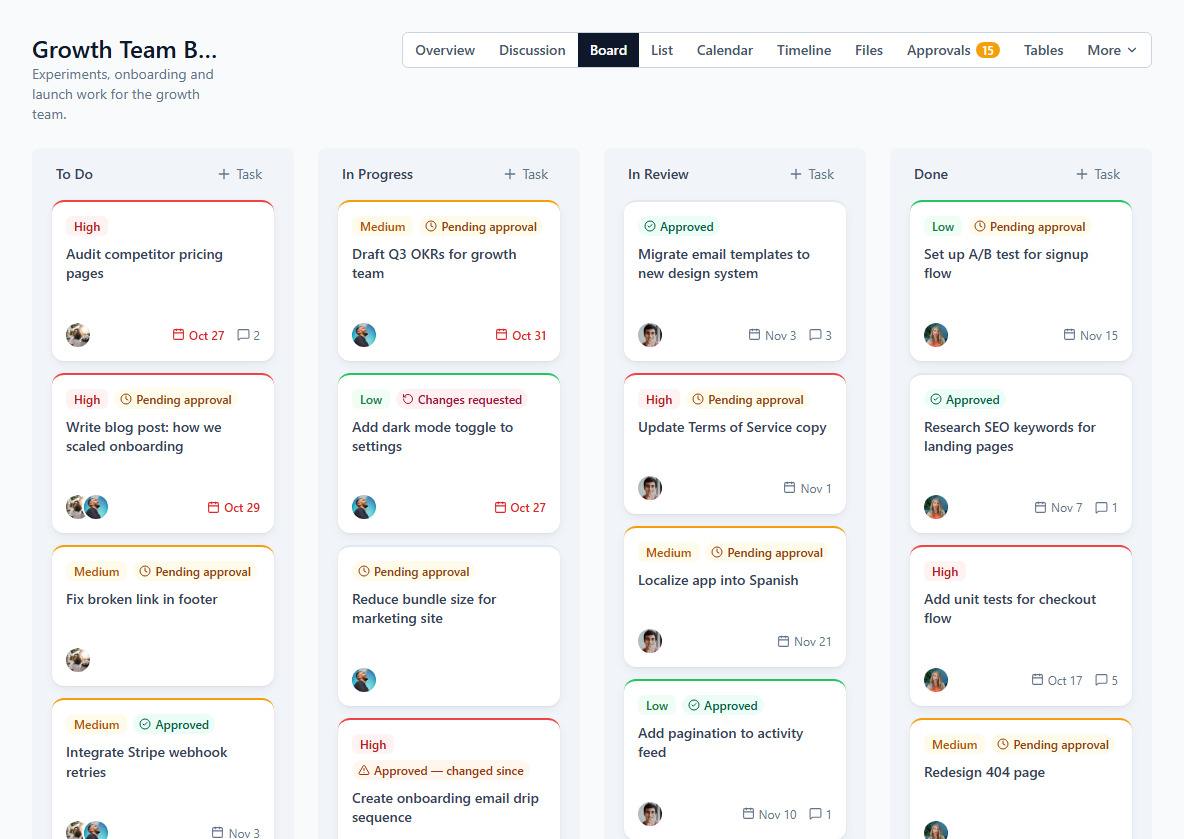
Plan work on a drag-and-drop Kanban board, or work through a sortable list grouped by status. Every task supports subtasks, multiple assignees, priority and a due date.
A calendar for deadlines and events
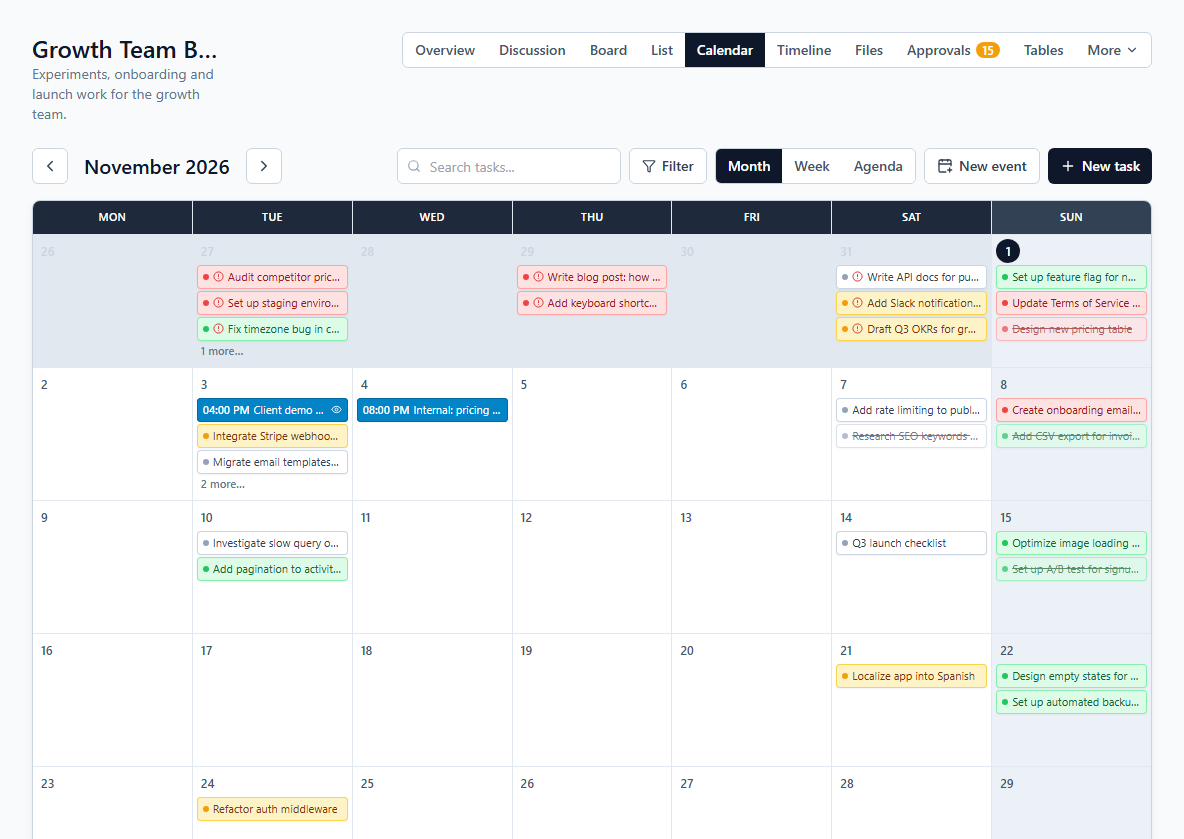
See every due date on a month, week or agenda view, and add timed events — meetings, launches, client calls — that live on the calendar without cluttering the board.
A timeline to see how the work lines up
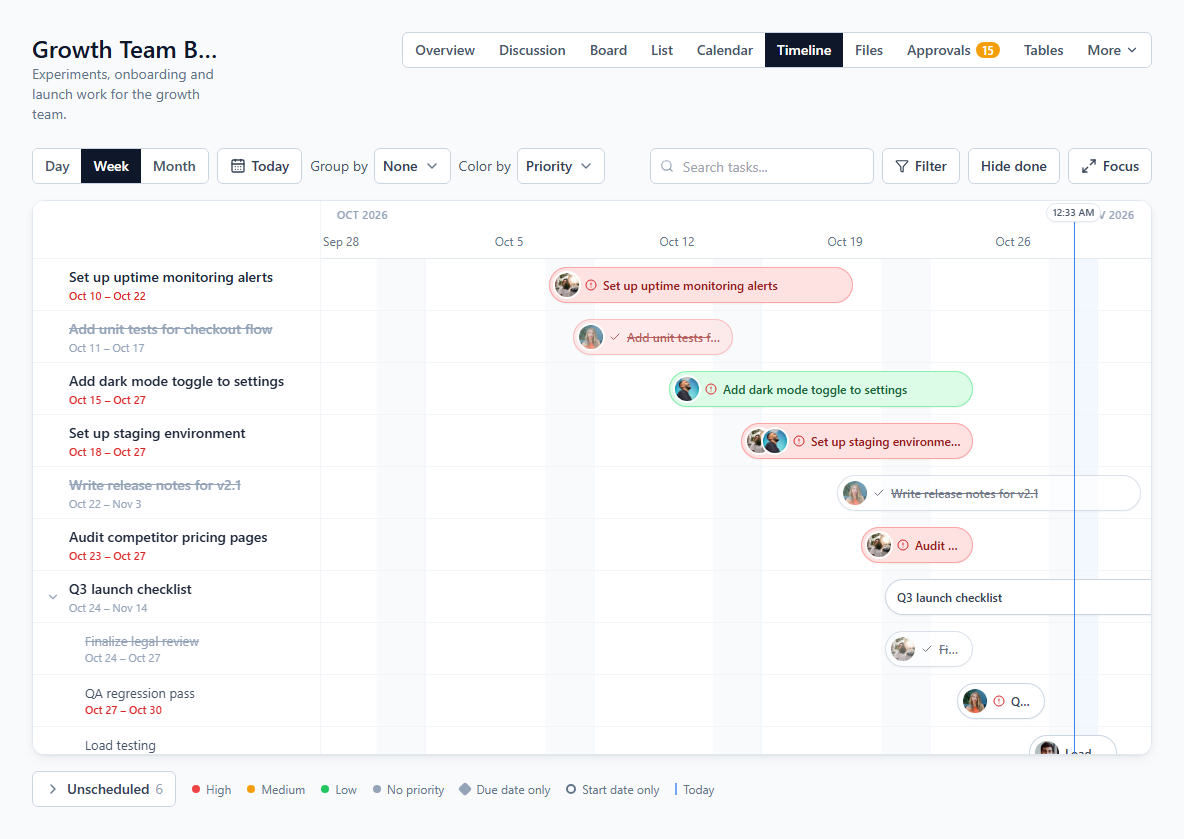
Give tasks a start date and see them as bars across days, weeks or months. Drag a bar to reschedule or stretch it to change dates, group by assignee or status, color by priority, and keep tasks without dates in an Unscheduled list.
My Tasks — everything assigned to you, in one place
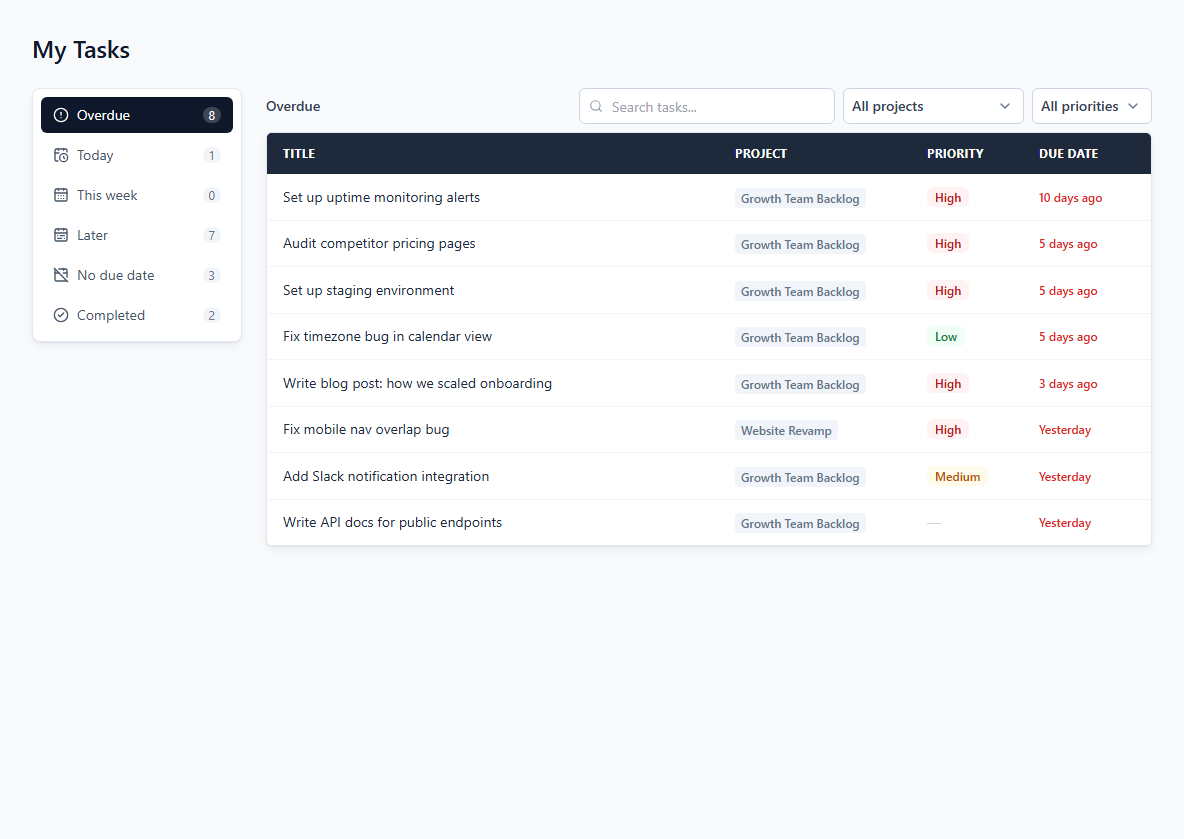
A single page pulls in every task assigned to you across all of a workspace's projects, grouped into overdue, today, this week, later, no due date and completed — so nothing slips through.
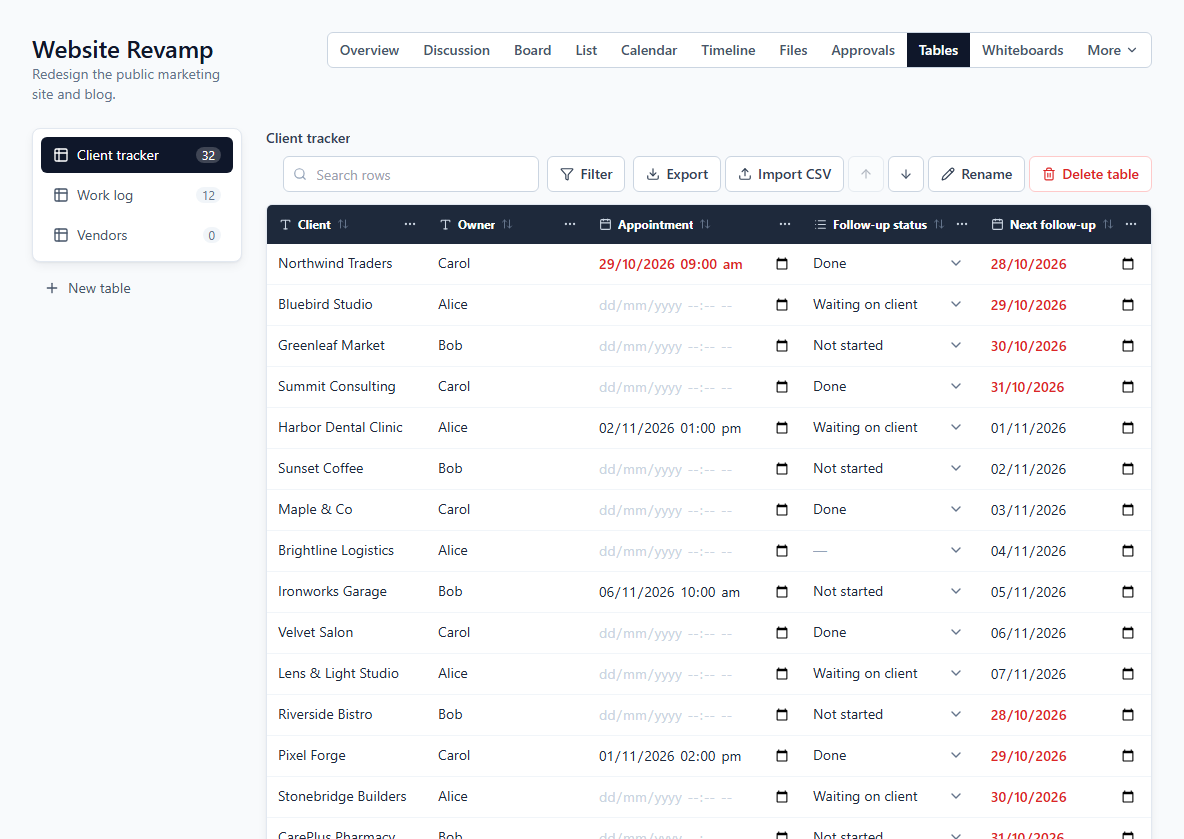
Custom tables for everything that isn't a task
Track clients, vendors or a work log in a table you design — text, number, date, checkbox and dropdown columns — or start from a ready-made template. Search and filter rows, import a CSV, and export to CSV or PDF.
Work together
Ideas, decisions, files and updates live next to the work, so nobody digs through chat to find them.
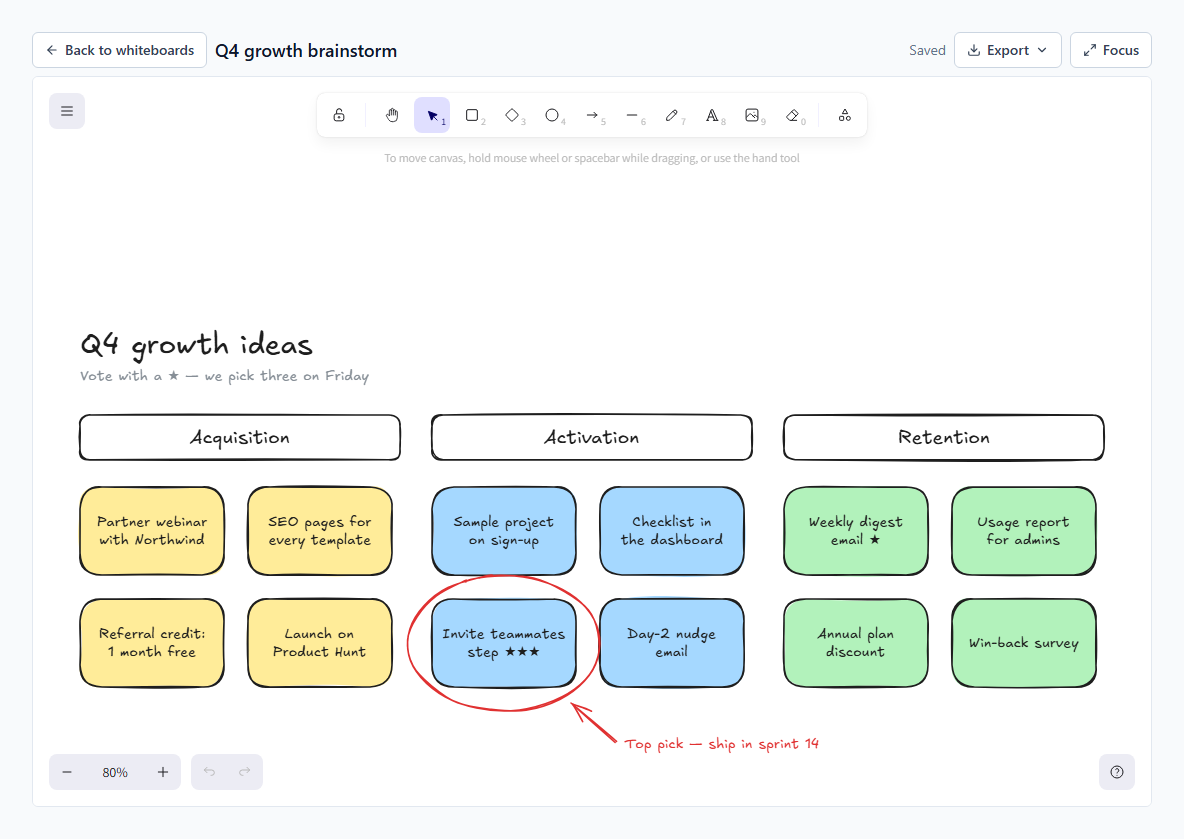
Whiteboards for ideas, flows and wireframes
Sketch on a whiteboard inside each project — shapes, sticky notes, arrows, text and pasted images. Every change saves automatically, boards export as PNG or SVG, and admins choose which ones clients can see.
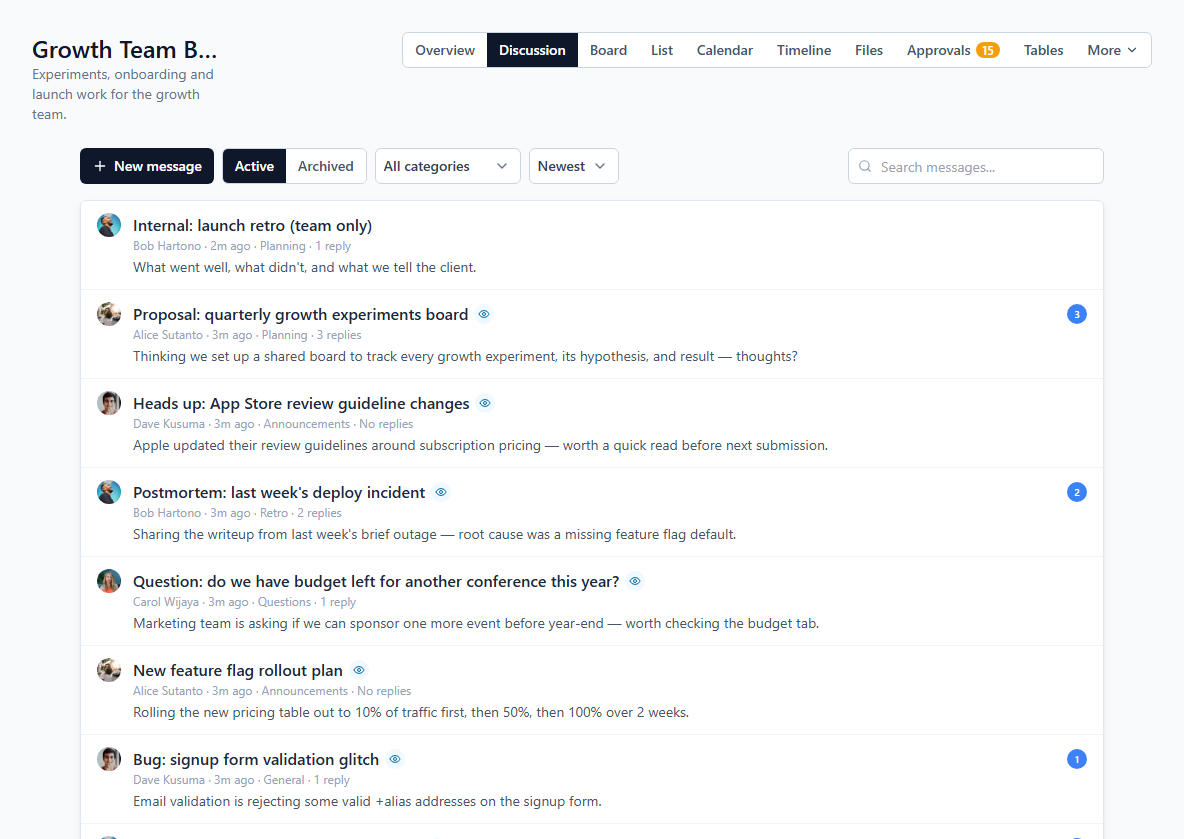
Message board — decisions that don't get lost in chat
Post a titled update, tag it with a category, and let the team reply in a threaded discussion. Unread replies are badged so nobody has to guess what's new. Wrapped up a topic? Archive it without deleting anything.
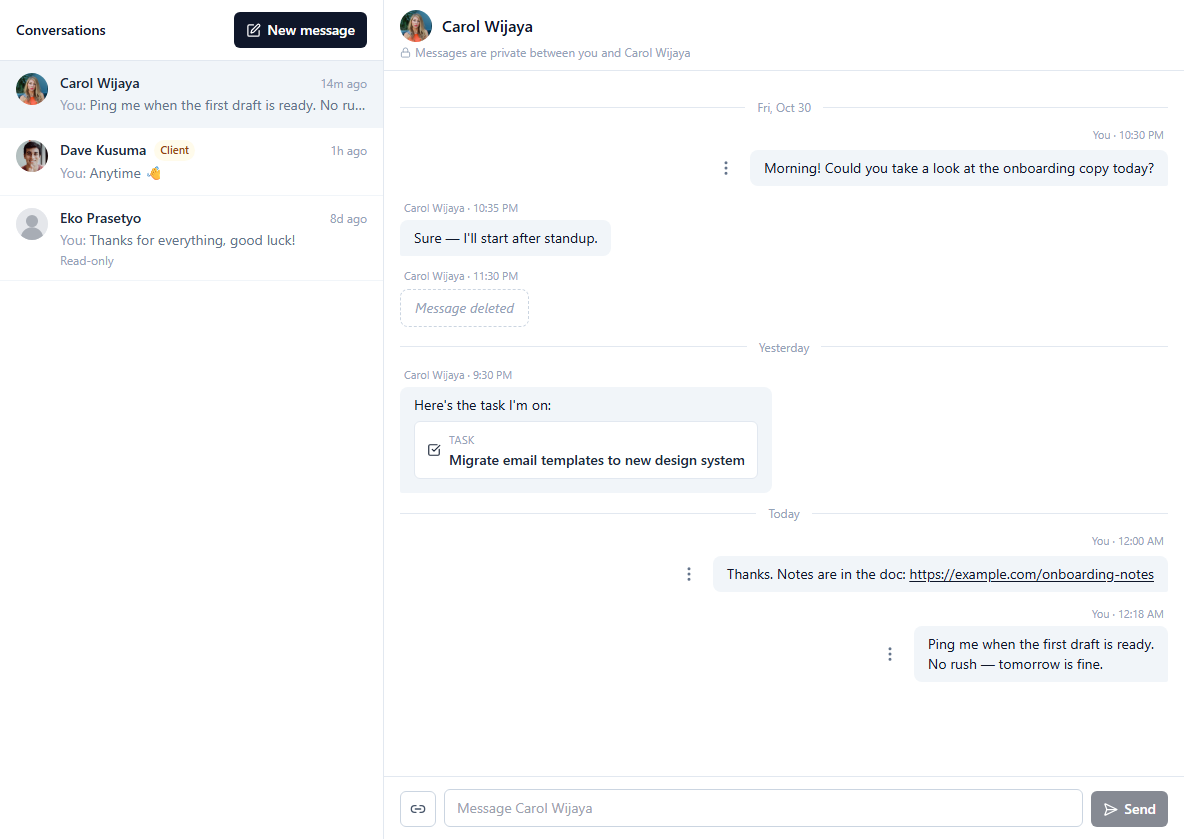
Direct messages for the quick questions
Message a teammate one-to-one — or a client you share a project with — without leaving the workspace. Link a task or project right in the message, see when it's been read, and edit or delete what you sent. Conversations are private to the two of you; not even an admin can read them.
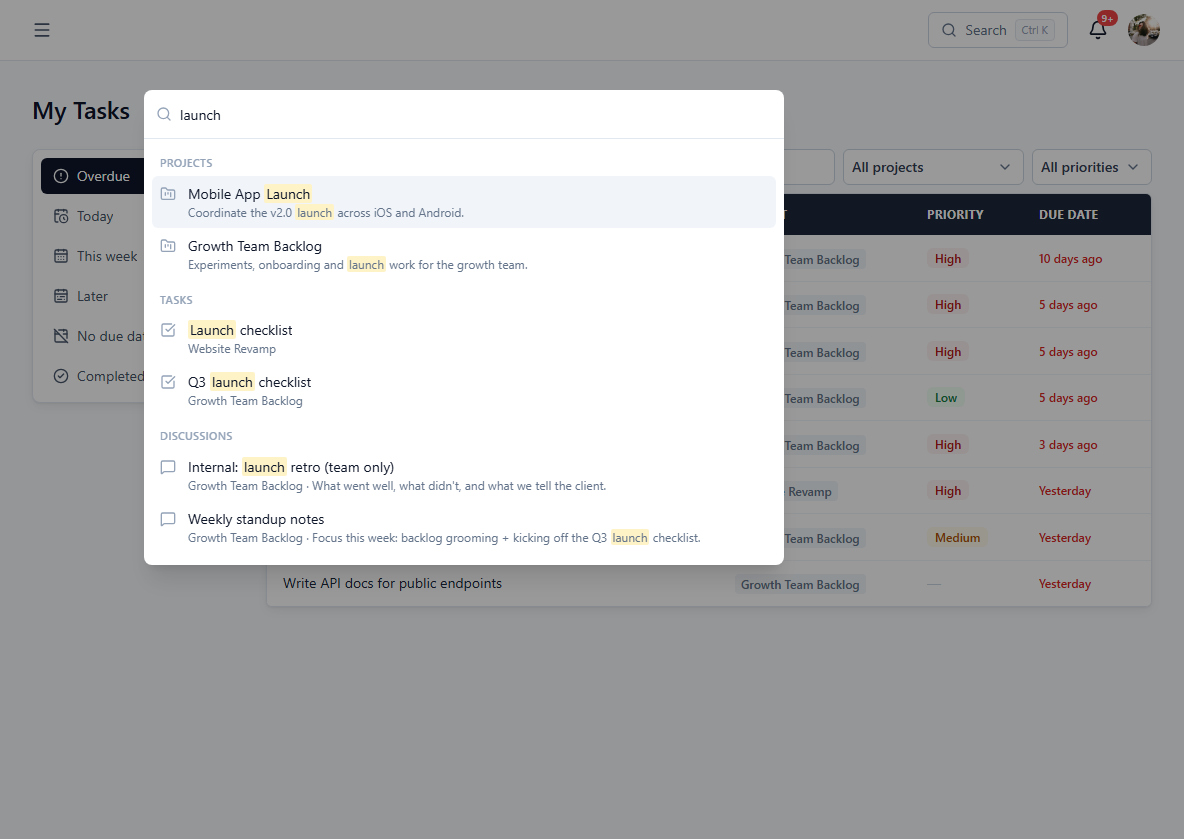
Find anything with Ctrl+K
One search box for the whole workspace: projects, tasks, discussions, files, folders, tables and events — only from the projects you can open, and a keystroke away.
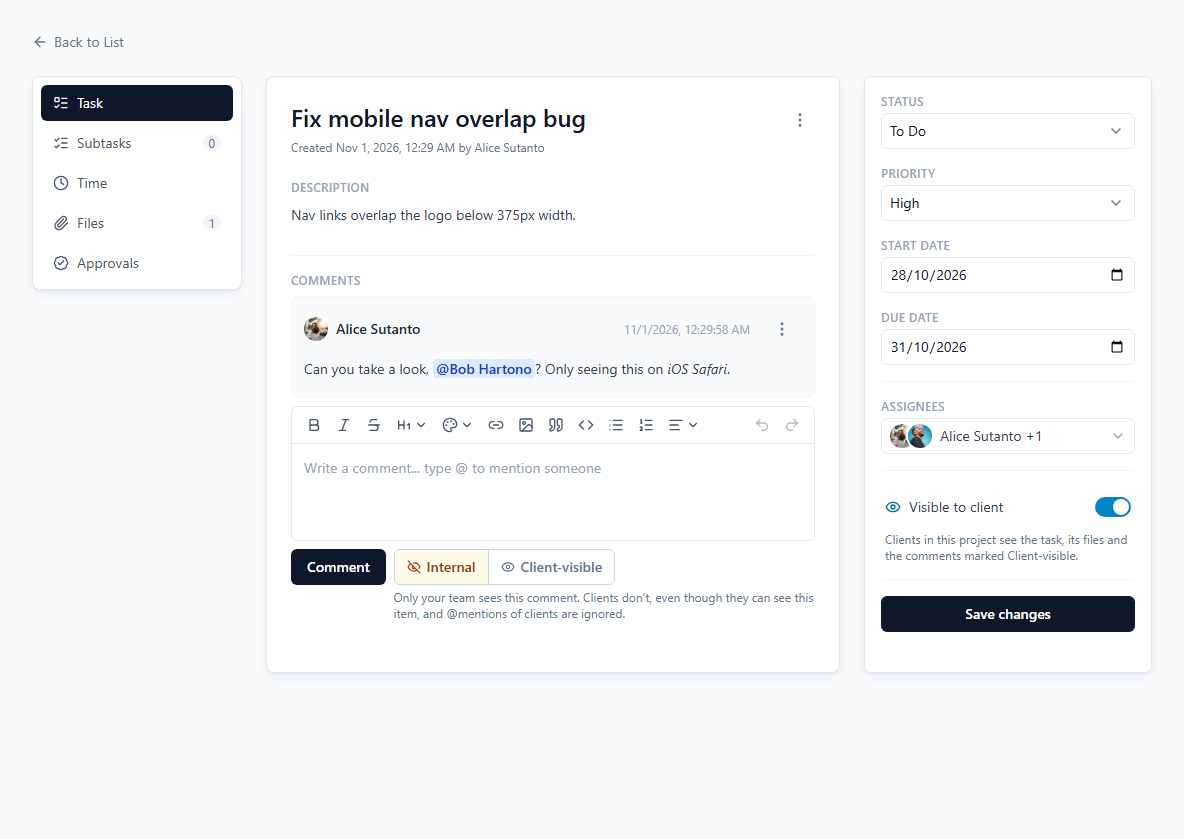
Rich text everywhere it matters
Task descriptions, message posts and replies all use the same formatting toolbar (bold, headings, lists, links, quotes, code) — and you can @mention a teammate directly inside a comment or reply.
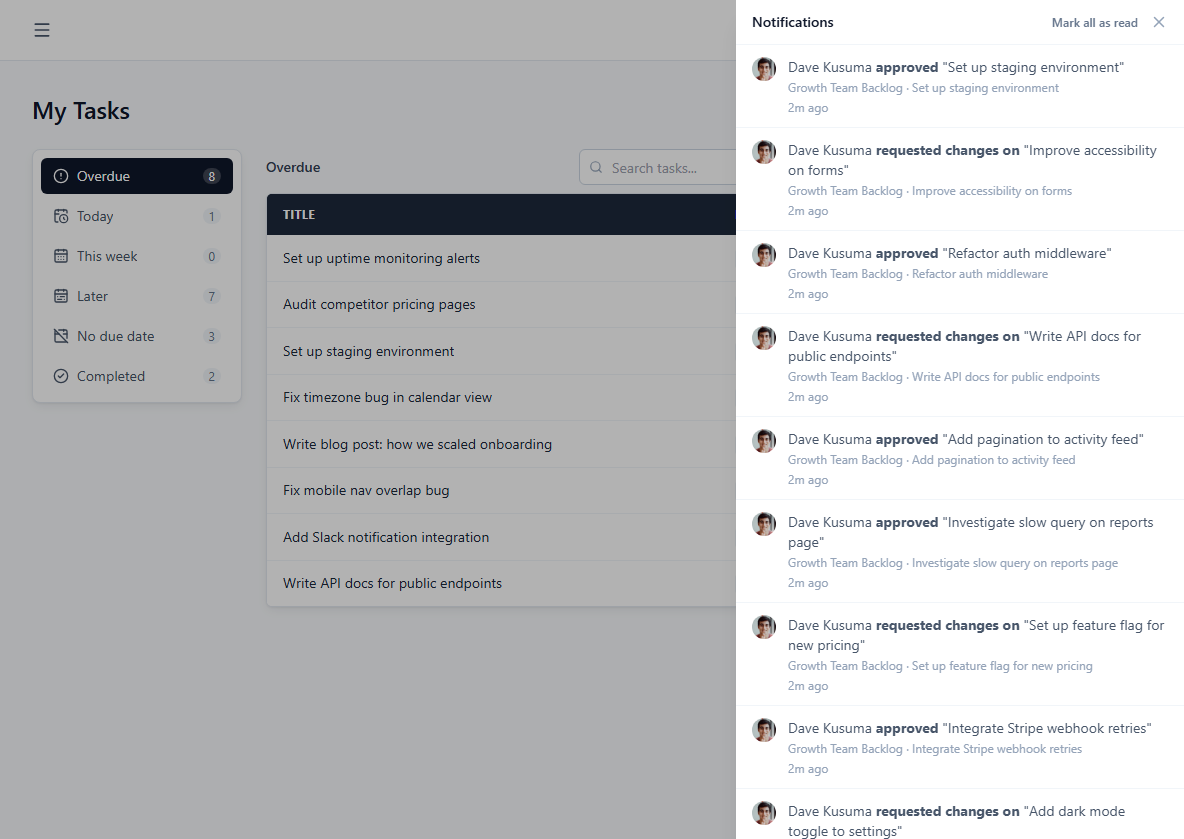
Reminders, live updates and in-app notifications
Toadflow reminds assignees when a task is due tomorrow, due today or overdue, and nudges you before an event you created starts. You're also notified when someone assigns you a task, mentions you, or replies where you're involved — and boards, comments, discussions and budgets update live, no refreshing.
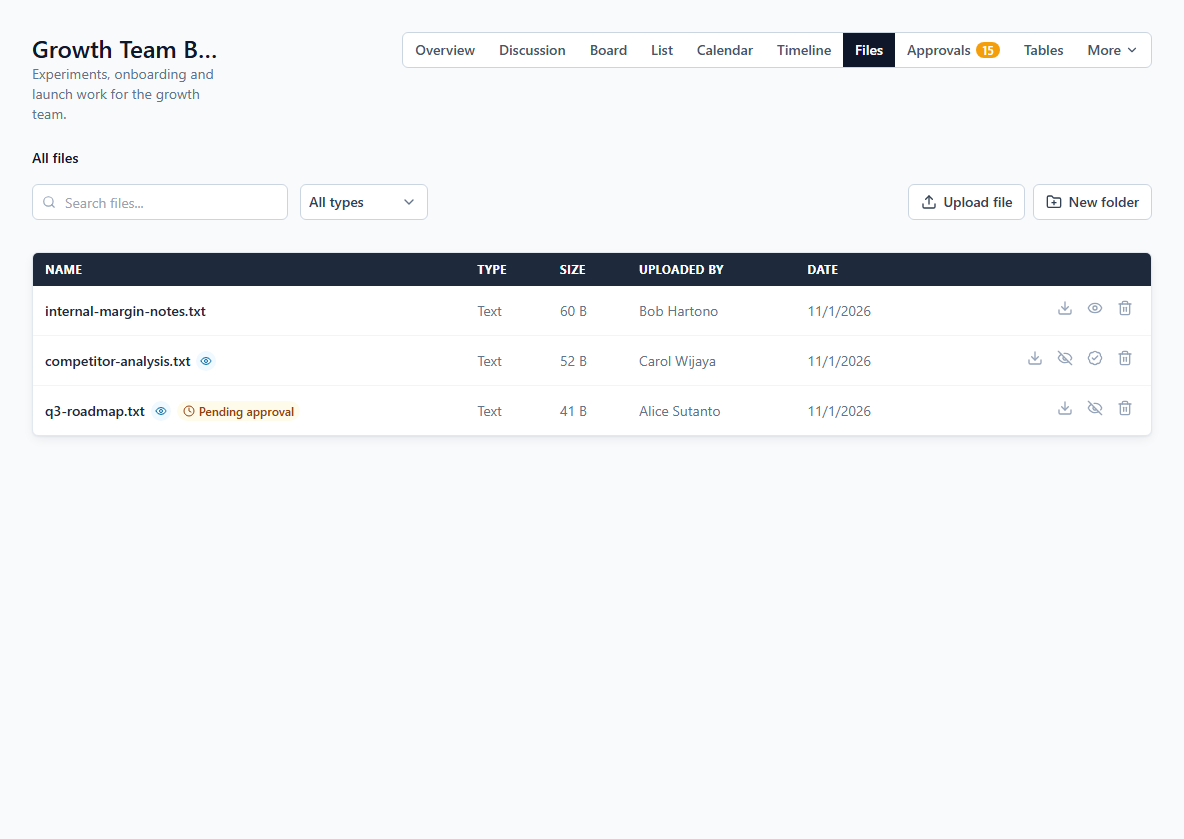
Share files on projects and tasks
Attach files to a project or a specific task, organize them in folders, and search across all of them. Every workspace has its own storage quota, visible at a glance in Settings.
Clients, budgets & oversight
Invite the people you work for, keep an eye on the money, and see what changed across the workspace.
Client access without the chaos
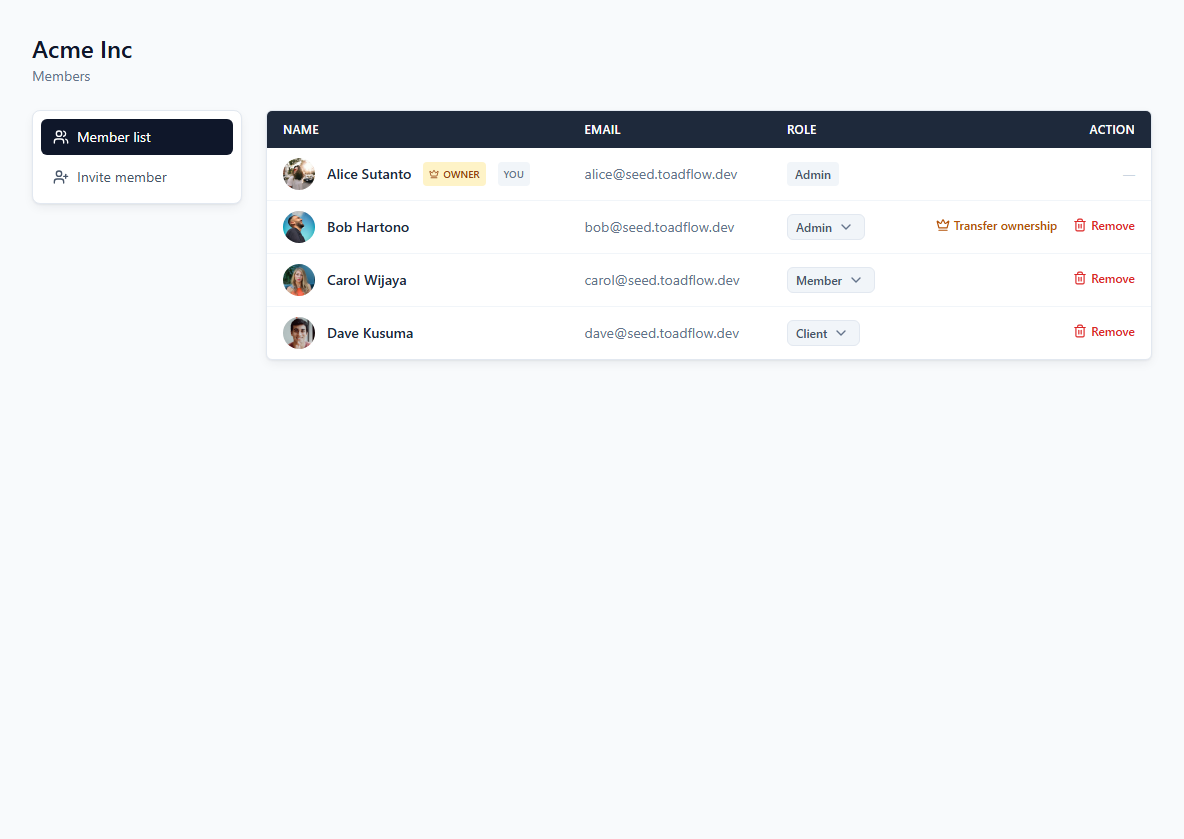
Admin, Member and Client roles control what people can do. Add a Client to only the specific projects they should see — they never stumble into internal work that isn't theirs.
Budget & transactions per project
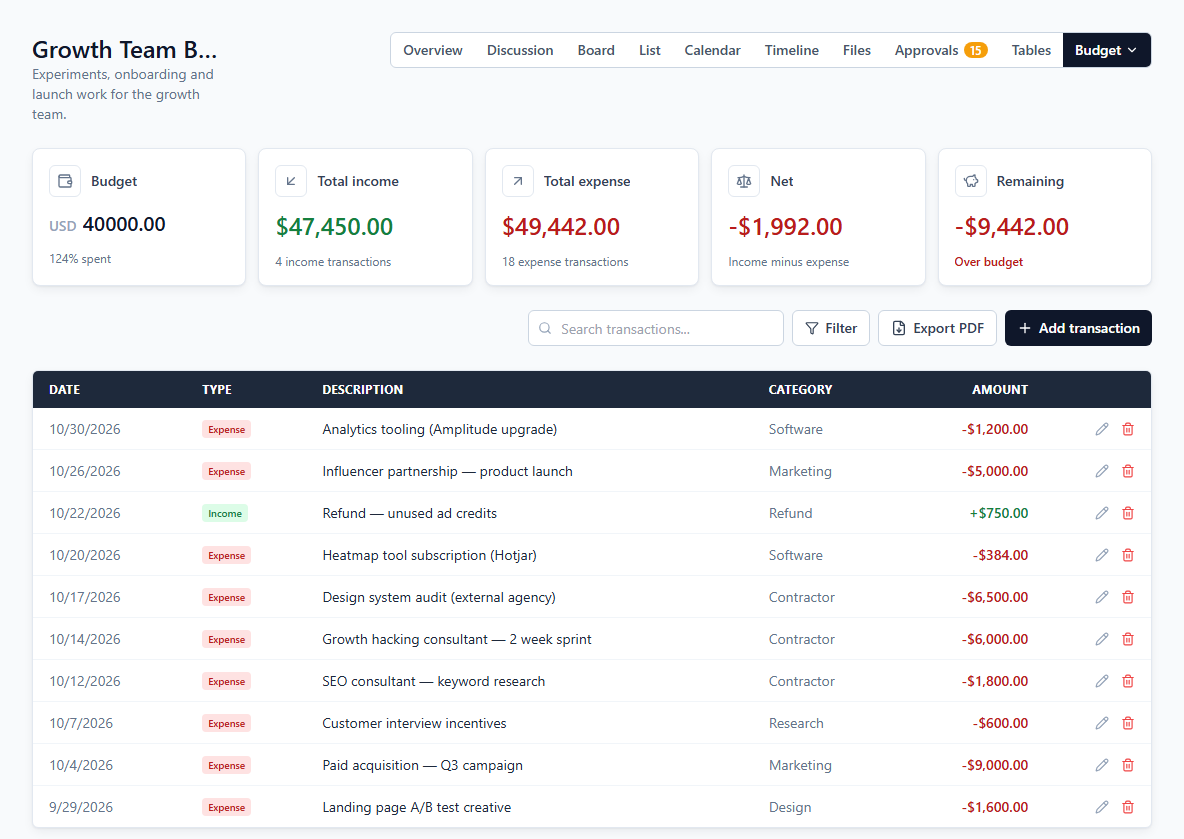
Admins can log income and expenses — to the cent — against a project's budget, see net and remaining at a glance, and export the filtered transactions as a PDF report. Pick the currency that fits your workspace.
One budget view across every project
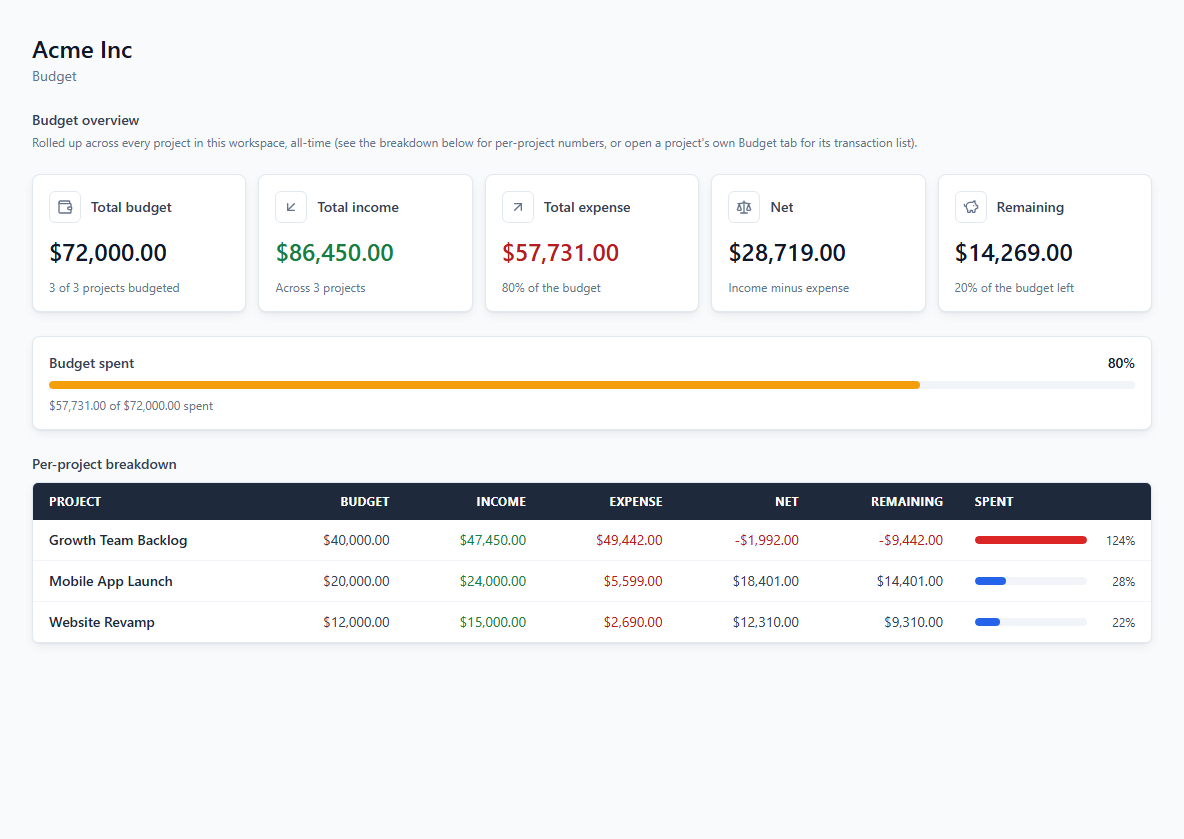
The workspace Budget tab rolls up budget, income, expense and remaining across all projects, with a per-project breakdown that shows which one is running over.
Activity log and team performance
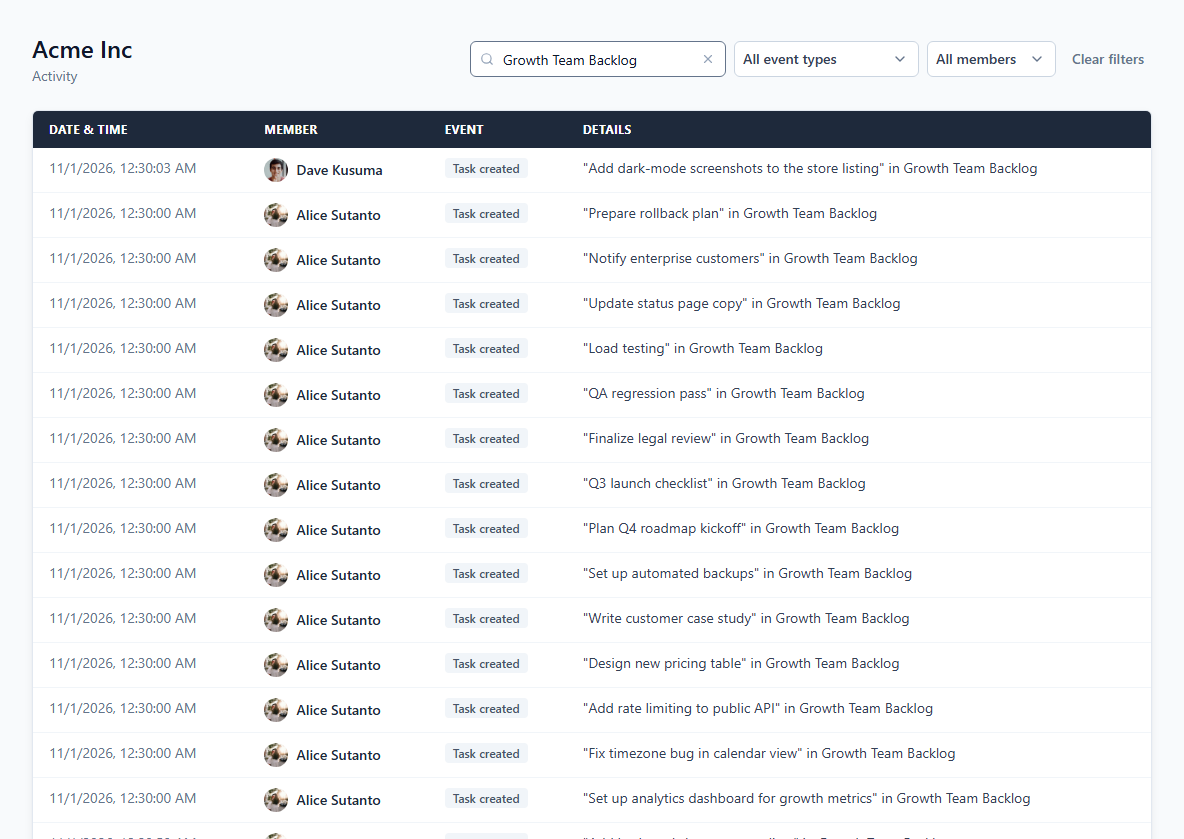
See who created, moved or deleted what, filtered by event type, member or a search. The Performance tab shows completed tasks, on-time rate and average completion time per member.
Archive projects and discussions
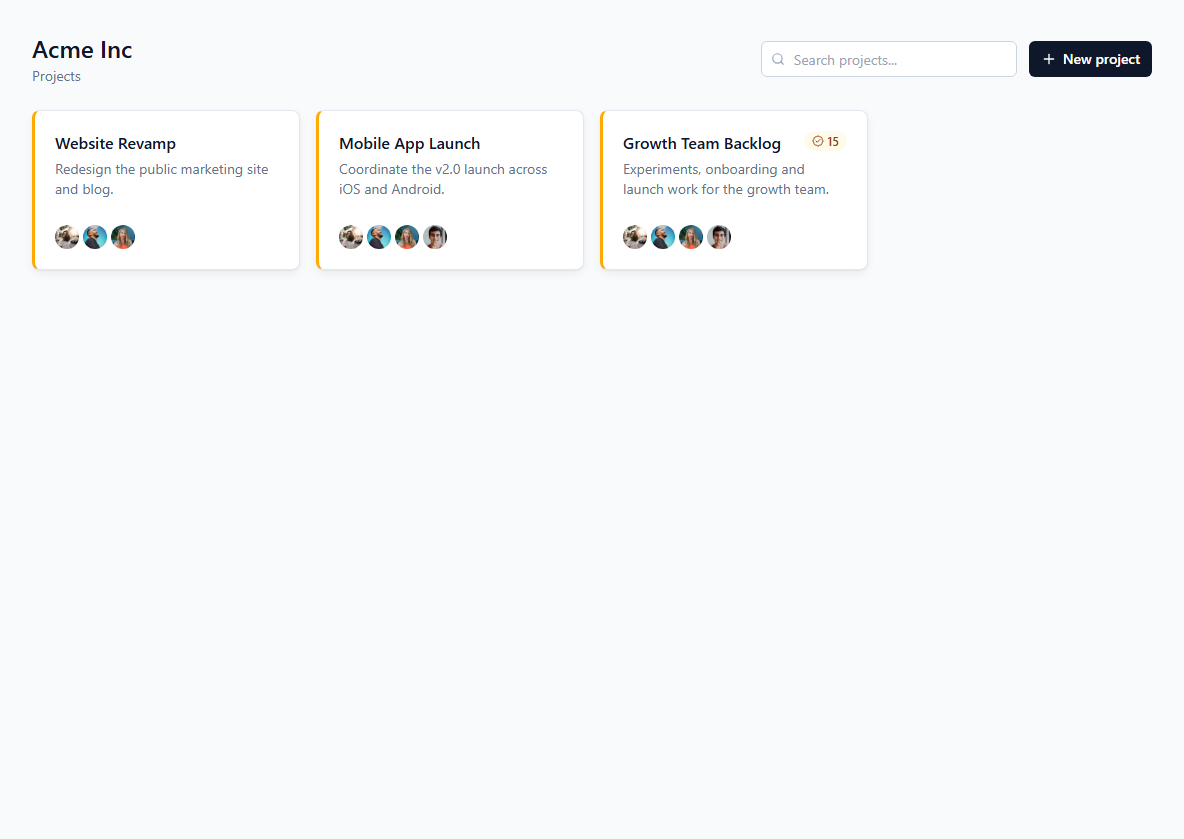
Done with a project or a topic? Archive it to keep your active list clean — nothing is deleted, and an admin can bring it back any time.
On the roadmap
Not built yet — listed here so it's clear these aren't available today.
Client portal & white-label
A shareable, branded view of project progress for clients — no full account needed.
Project & task export
Export projects and tasks as CSV or PDF — custom tables and budget reports already export today.
Mobile app
Native iOS and Android apps — the web app works on mobile browsers today.